

Welcome back to the Maximo Mentor Series! If you are an enterprise asset management professional or actively studying for the C1000-183 IBM Maximo Manage Functional Deployment Professional exam, mastering the financial backend of Maximo is essential.
While Financial Configuration makes up about 5% of the certification exam, these foundational structures dictate how costs, budgets, and asset values are tracked across your entire organization.
Here is a detailed breakdown of the main topics we cover in this session, along with a couple of top tips to keep in mind!
Main Topics Covered
- Chart of Accounts Configuration Maximo provides a highly flexible financial structure, but it operates under specific hierarchies.
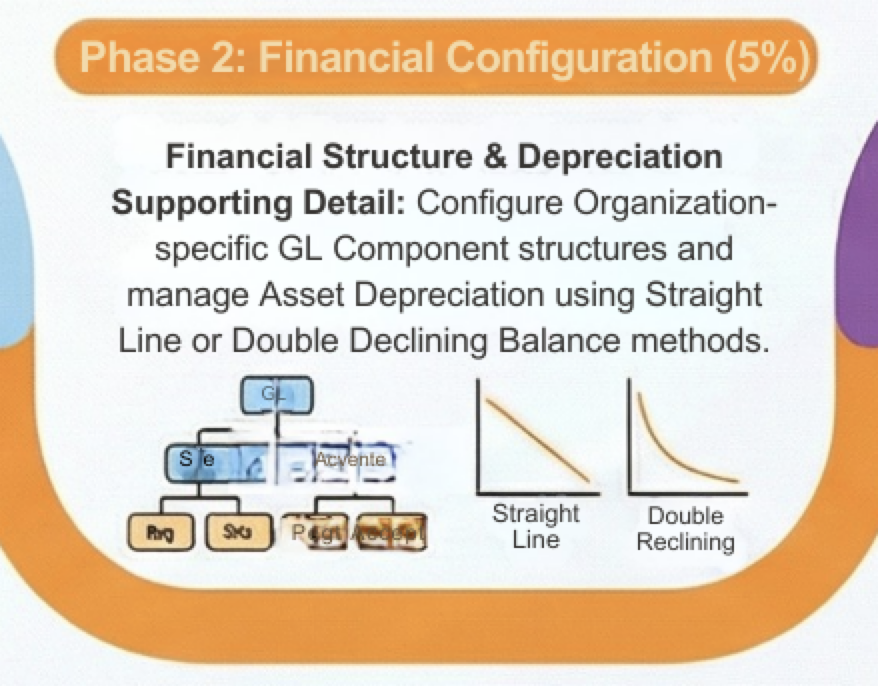
• GL Account Codes are stored at the Organization level. While the base format of a GL account is defined globally in the Database Configuration application, the Chart of Accounts application gives you Organization-level flexibility.
• At the Org level, you can use the “Add/Modify Account Structure” action to change a component’s name, make GL components shorter in length, or change an optional component to a required one. You can also make an optional component required.
• When pushing updates to the database within the Chart of Accounts, administrators utilize actions such as Overwrite All Accounts or Overwrite Blank Accounts Only.
• Tool and Labor resource codes can also be set in the Chart of Accounts application. These allow partial GL account codes to be pre-populated. - Budget Monitoring & Cost Management Tracking estimated versus actual costs is handled through the Budget Monitoring application.
• Focal Points and Rules: Before you can even create a Budget Line, Budget Rules and a Focus Point must exist. You track costs using Focal Points, with predefined objects including ASSET, LOCATION and GLCOMPONENTS. You should also apply specific conditions to these focal points (e.g., targeting a specific asset number).
• Budget Lines & Statuses: Once generated, the Total Budgeted Amount is entered directly onto the Budget Line. These budgets move through various statuses including DRAFT, WAPPR (Waiting on Approval), APPR (Approved), CLOSED and CANCELLED.
• External Integration: If you are integrating costs externally, it is helpful to know that the Cost Management application was specifically designed to interface with Oracle Projects. - Asset Depreciation Schedules Understanding how an asset loses value over time is vital for replacement planning and financial reporting.
• Depreciation Methods: Maximo Manage natively supports two primary depreciation calculation methods: Straight Line (SL) and Double Declining Balance (DDB).
• Where to Manage: Depreciation schedules do not just live on the asset record. They can be managed across three different applications: Assets, Item Master, and Asset Templates. - Swapping Assets: If a piece of equipment breaks and needs to be exchanged, you can retain the original asset’s financial history and schedule by using the Swap Depreciation Schedules action.
Top Tips for Maximo Financials
If you are prepping for your exam or configuring a new environment, remember these two critical rules:
• Top Tip #1: You cannot simply delete an active GL Account. Every GL Account requires an Active Date. If you need to deactivate a GL Account code so it can no longer be used, you must specify an Expiration Date in the future.
• Top Tip #2: Item depreciation has prerequisites. If you are trying to configure a depreciation schedule for an item in the Item Master application, that item MUST have the Rotating attribute set. Non-rotating items cannot hold depreciation schedules!

Leave a Reply