Martin Williams · Apr 2026
Maximo Mentor Series: Session 3, Part 2 - Platform Configuration Tools
Watch on YouTube →
Maximo Mentor Series: Session 3, Part 2 - Platform Configuration ToolsWatch the video on YouTube
Continuing the Maximo Mentor Series! Welcome to Session 3, Part 2: Platform Configuration Tools.
Are you preparing for the IBM C1000-183 Maximo Manage Deployment Professional exam? This session covers 7 essential exam topics on admin and implementation tools.
Here's a sneak peek at the main areas this video covers
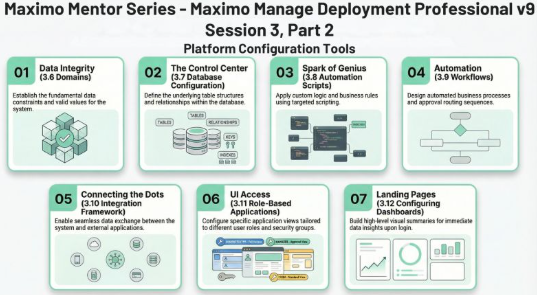
- Data Integrity and Control: Learn about domains — your first line of defense against bad data — including the use of alphanumeric, numeric, table, and crossover domains.
- System Architecture: Discover the Database Configuration application, where you can add objects and attributes and define relationships.
- Automation and Business Logic: Understand how to use automation scripts and key workflow nodes to create a smart, responsive process that guides users through complex processes.
- Integrations and User Experience: Explore important areas of the integration framework for connecting to external systems, and learn about configuring role-based applications and intuitive dashboards for your users.
What you will learn
By the end of this session, you will have an exam-focused understanding of how to configure and customize your Maximo environment. You will know how to manage structural database changes safely using admin mode, how to implement complex business logic with automation scripts, and how to deploy dashboards that help your team manage their work seamlessly. This knowledge will help you confidently tackle the Platform Configuration questions — which make up 26% of your certification exam.
Links
- Link to IBM Certification: https://lnkd.in/etq7r_mT
- Introduction to this Mentor Series: Read the series roadmap →
- Session 3, Part 1 – Platform Configuration, Organizations and Security: Read Part 1 →